
Download Sysme Bar – hospitality, sales management, inventory control, restaurant software, bar management, POS system, table service, order tracking, food service, business tools
Overview
Sysme Bar is a specialized mobile application designed for the hospitality sector, offering a comprehensive suite of tools to streamline sales, inventory, and administrative operations. Tailored for restaurants, bars, cafeterias, and bakeries, the app supports efficient management of daily business tasks through a user-friendly interface optimized for fast-paced environments. Its core purpose is to simplify point-of-sale (POS) processes, enhance stock visibility, and improve operational transparency across culinary establishments.
By integrating sales tracking, order management, and inventory control, Sysme Bar helps businesses maintain accuracy, reduce manual errors, and improve service speed. The app is particularly beneficial for small to mid-sized hospitality operations seeking affordable, reliable tools to boost productivity and customer satisfaction. Although the developer did not provide additional technical details, the app has been in service since 2012, indicating a long-standing presence in the industry.
This longevity suggests consistent functionality and real-world applicability. The app’s relevance in the current digital transformation of food service businesses is notable, as it addresses core operational challenges with minimal setup. It supports both table service and fast food models, making it adaptable across diverse business formats.
Its role in enabling home delivery coordination further extends its utility in modern food service ecosystems.
Key Features & Functionality
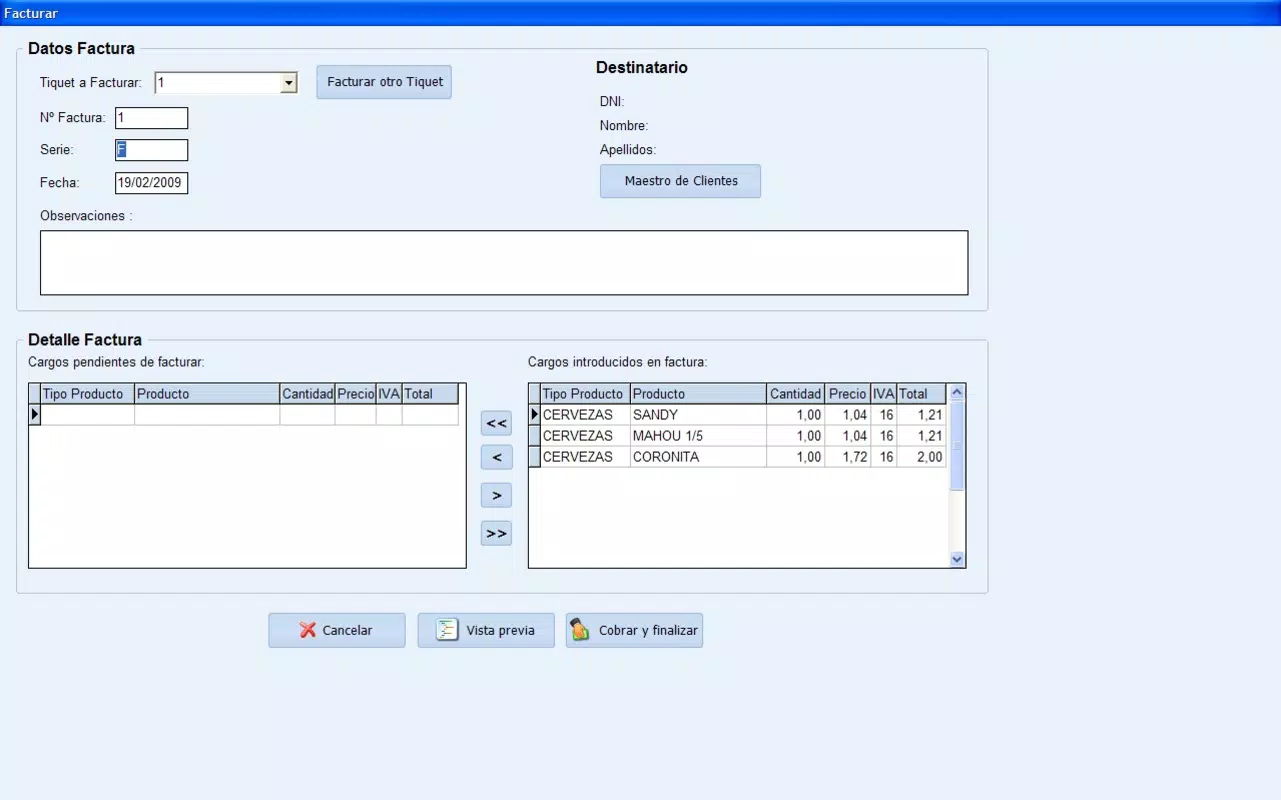
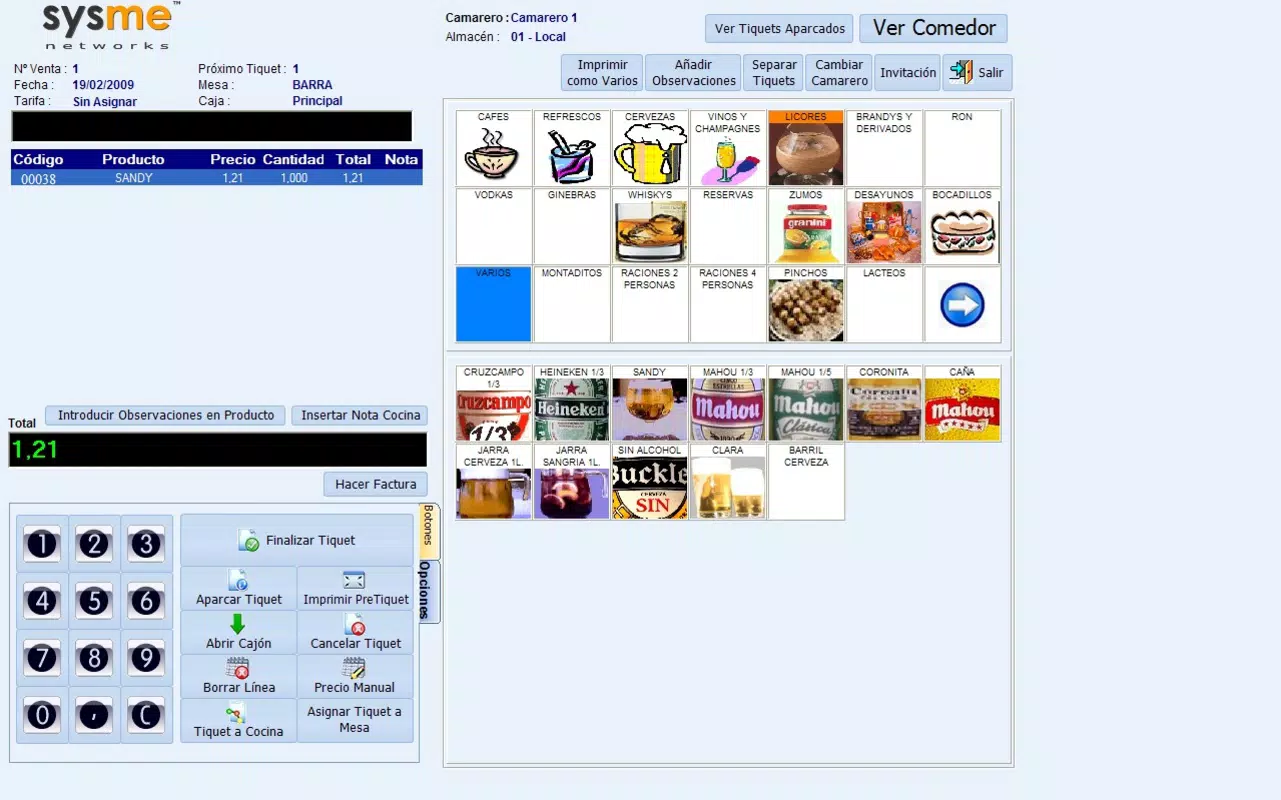
- Comprehensive Sales Management: The app includes a touchscreen POS system with ticket management and table-specific order tracking, allowing staff to process orders quickly and accurately. This feature is ideal for busy restaurants where order clarity and speed are critical.
- Efficient Stock Control: Users can monitor inventory levels, track supplier orders, and manage delivery requests. Products are categorized and described in detail, helping maintain optimal stock levels and reduce waste.
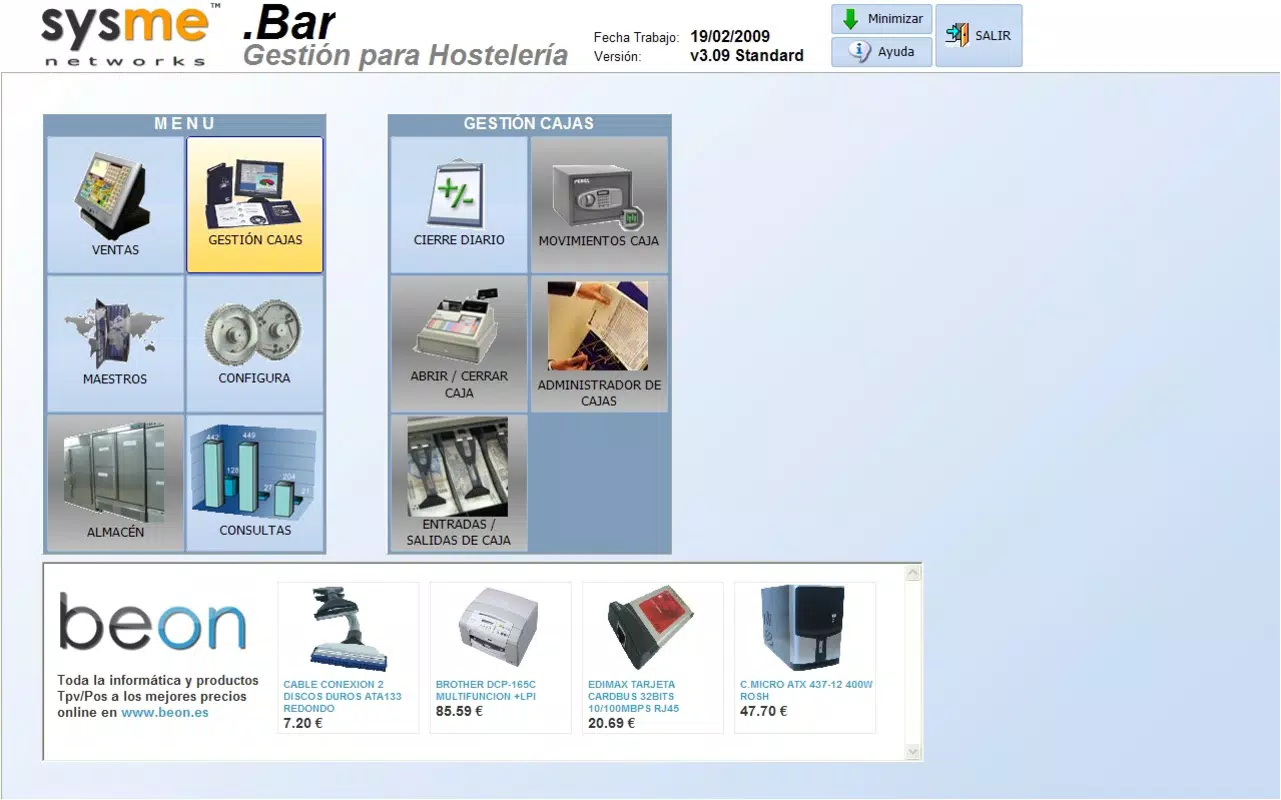
- Robust Administration Options: Customizable user permissions, detailed operation logs, and backup capabilities ensure secure access and data integrity. These tools support team-based operations with controlled access levels.
- Adaptable for Various Businesses: Whether used in a bar, café, or bakery, Sysme Bar supports diverse operational models. Its flexibility allows integration with home delivery and fast food services, enhancing service versatility.
- Printing and Configuration Tools: Built-in printing options and list configuration settings allow businesses to customize reports, receipts, and operational lists to match their workflow needs.
For example, a bar manager can use the app to assign hourly rates to staff, generate end-of-day sales reports, and track inventory depletion in real time. A restaurant owner might use table-specific order tracking to manage multiple guests at one table, ensuring accurate billing and faster service. The integration of supplier tracking helps prevent stockouts, while the detailed logs support accountability and audit readiness.
Interface, UX & Performance
Sysme Bar features a clean, intuitive interface designed for quick navigation in high-pressure environments. The layout prioritizes essential functions such as order entry, payment processing, and inventory updates, minimizing the need for extensive training. Visual cues and logical grouping of features support smooth user onboarding, especially for staff with limited technical experience.
The touchscreen interface is responsive, allowing fast input and minimal lag during peak hours. Although the developer did not list formal performance metrics, the app’s lightweight size of 24.3 MB suggests optimized resource usage, which likely contributes to stable performance across various Android devices. The app appears to maintain consistent responsiveness even when handling multiple orders or reports simultaneously.
Stability during extended use has not been publicly documented, but its long-term presence in the market indicates reliability. Compatibility with different screen sizes and device categories was not fully disclosed, but the app’s design suggests adaptability to common Android smartphones and tablets used in hospitality settings. No reported crashes or freezes were mentioned in available documentation, reinforcing its reputation for dependable operation.
Platform Compatibility & Technical Requirements
Sysme Bar is available exclusively on the Android platform, making it accessible to users operating on Android devices. The current version is 2.5.1, with a file size of 24.3 MB, which is relatively compact for a business management tool. This lightweight footprint ensures quick installation and minimal storage consumption.
The developer did not specify minimum OS requirements or device compatibility details. As such, users should verify whether their device meets the necessary system standards before installation. While the app is free to download and use, no information was provided regarding in-app purchases, subscription models, or additional costs.
The release date of July 25, 2012, indicates that the app has been in active use for over a decade, suggesting a mature product with established functionality. However, the absence of recent update details makes it difficult to assess current feature alignment with modern Android versions.
Pros and Cons
Pros
- Designed specifically for hospitality businesses, offering relevant tools for restaurants and bars.
- Free to download and use, providing cost-effective access to essential business management features.
- Lightweight size (24.3 MB) ensures fast installation and minimal device impact.
- Supports key functions like POS, inventory tracking, and user permissions.
- Long-standing presence in the market, indicating proven reliability.
Cons
- Platform limited to Android; no iOS or other OS availability was confirmed.
- Specific OS version requirements were not listed, which may cause compatibility issues.
- No public information on recent updates or ongoing development.
- Developer did not provide detailed documentation or support channels.
- Performance on older or low-end devices was not verified.
FAQ
Is Sysme Bar safe to download and use?
The app is free and available through official Android channels. While no third-party security audits were mentioned, its long-standing presence suggests a stable and secure operation.
Can I use Sysme Bar on my iPhone or iPad?
Currently, the app is only available on Android devices. There is no confirmed iOS version or compatibility.
Does Sysme Bar require an internet connection?
The app functions offline for core tasks like order entry and ticket management. However, features such as inventory sync and reporting may require connectivity.
How often is Sysme Bar updated?
The latest version is 2.5.1, released in 2012. No recent update details were provided by the developer.
Can I customize user roles and access levels?
Yes, the app includes administrative tools that allow customization of user permissions and detailed logging of operations.
Final Thoughts + CTA
Sysme Bar remains a relevant and practical tool for hospitality professionals seeking a straightforward, affordable solution for managing sales, inventory, and operations. Its focus on core business functions—POS, stock tracking, and administrative control—makes it a valuable asset for restaurants, bars, and food service providers. While the app lacks modern polish and recent updates, its enduring presence speaks to its functional reliability.
For businesses operating on a tight budget and using Android devices, Sysme Bar offers a no-frills, effective alternative to premium systems. Its lightweight design and free access further enhance its appeal. Despite limited compatibility and update transparency, the app continues to serve its niche with consistent performance.
If you're managing a small to mid-sized culinary business and need a dependable, simple-to-use system, Sysme Bar is worth considering. Download Sysme Bar now.


